Everything that happens in the clinic, in one record.
From the moment a patient books until their account is settled. Every screen shown here is Nodira, exactly as a clinic uses it. The product itself is in Spanish.
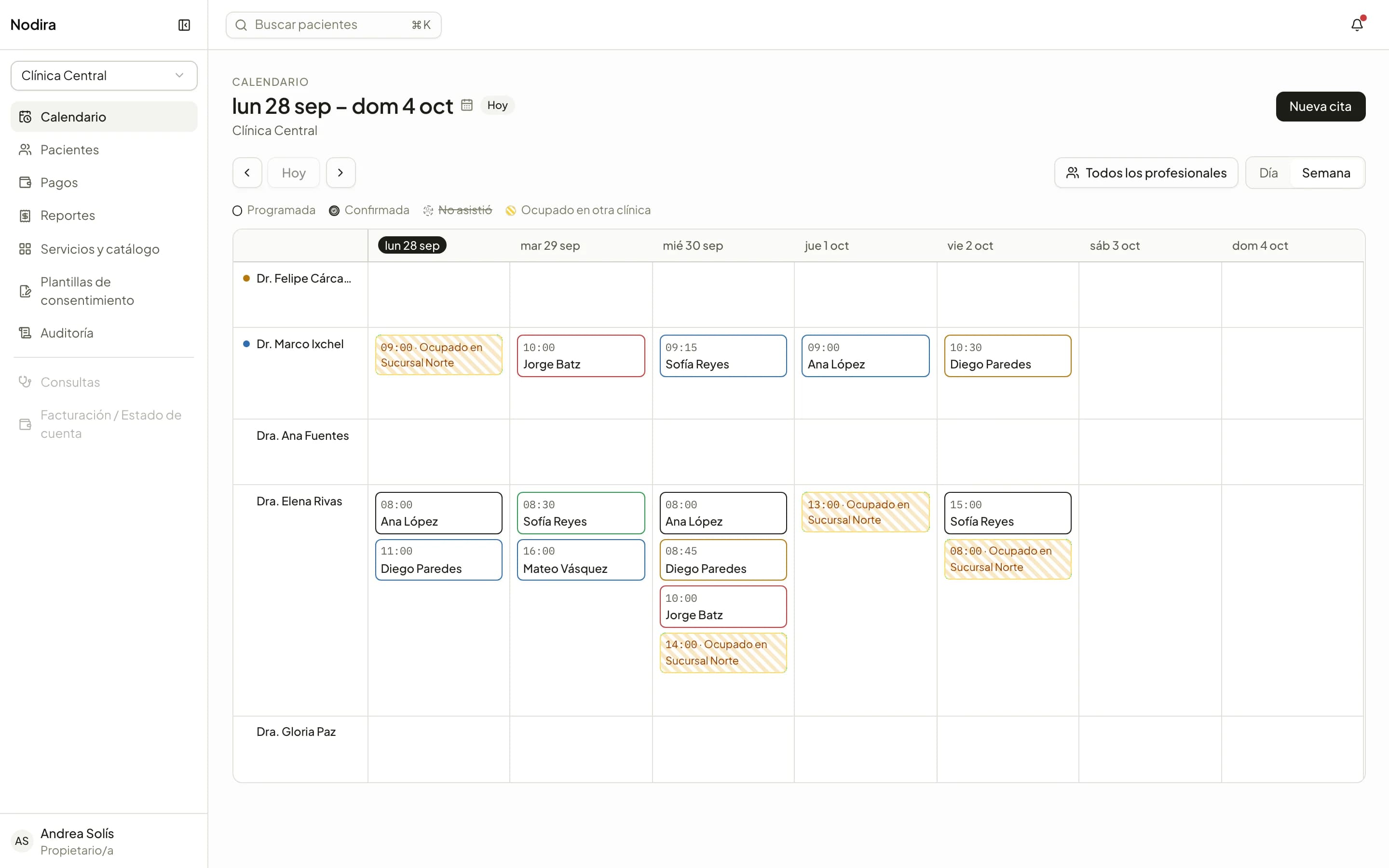
One calendar for the whole clinic.
The front desk works from the calendar: booking, confirming, checking patients in and collecting payments, at any location.
A column for each practitioner
Day or week view, filtered by practitioner. Time booked at another location shows on the calendar, so no one is booked twice.
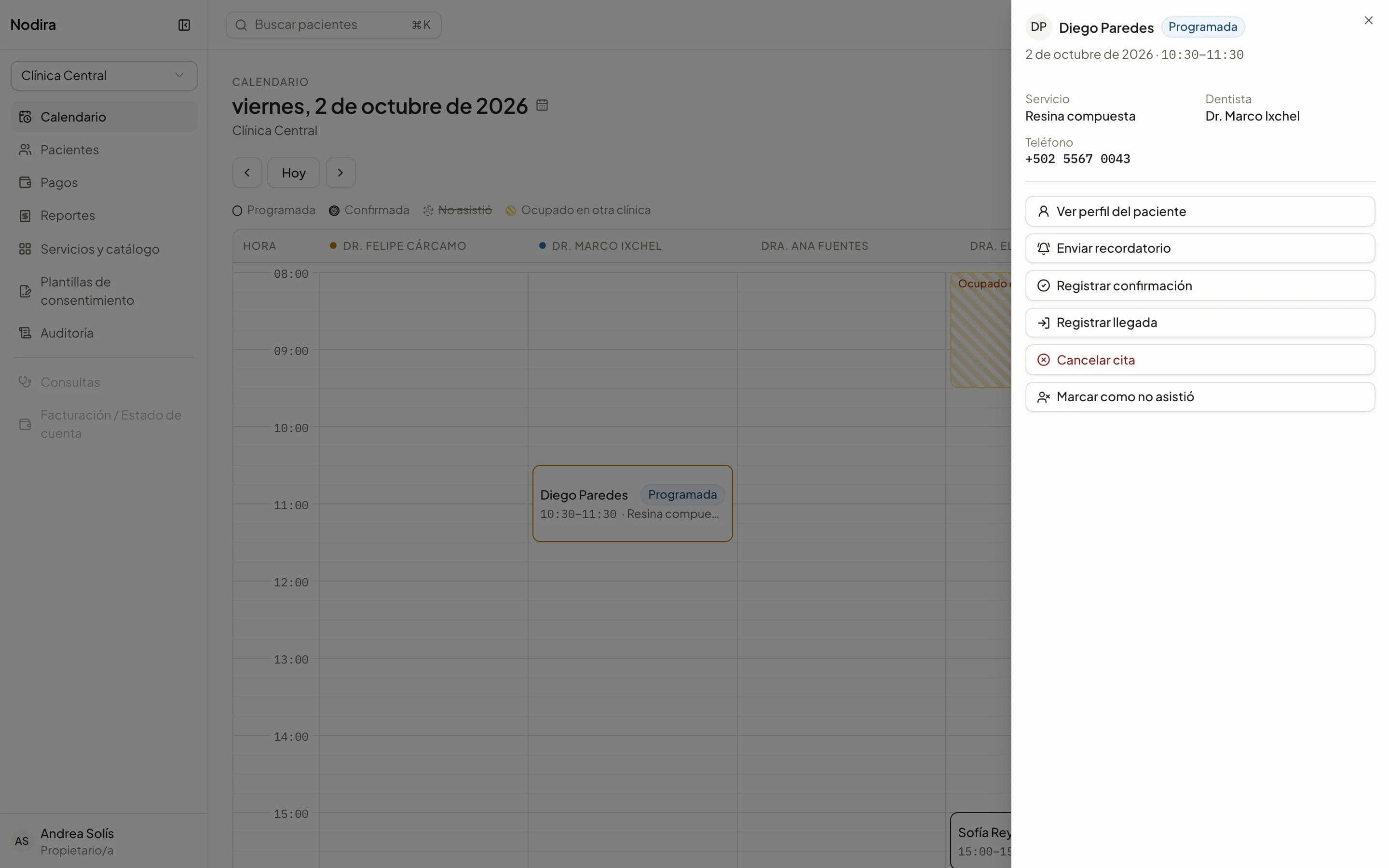
An appointment, from start to finish
Scheduled, confirmed, checked in, in consultation. Every status change is recorded, along with the reminders sent to the patient.
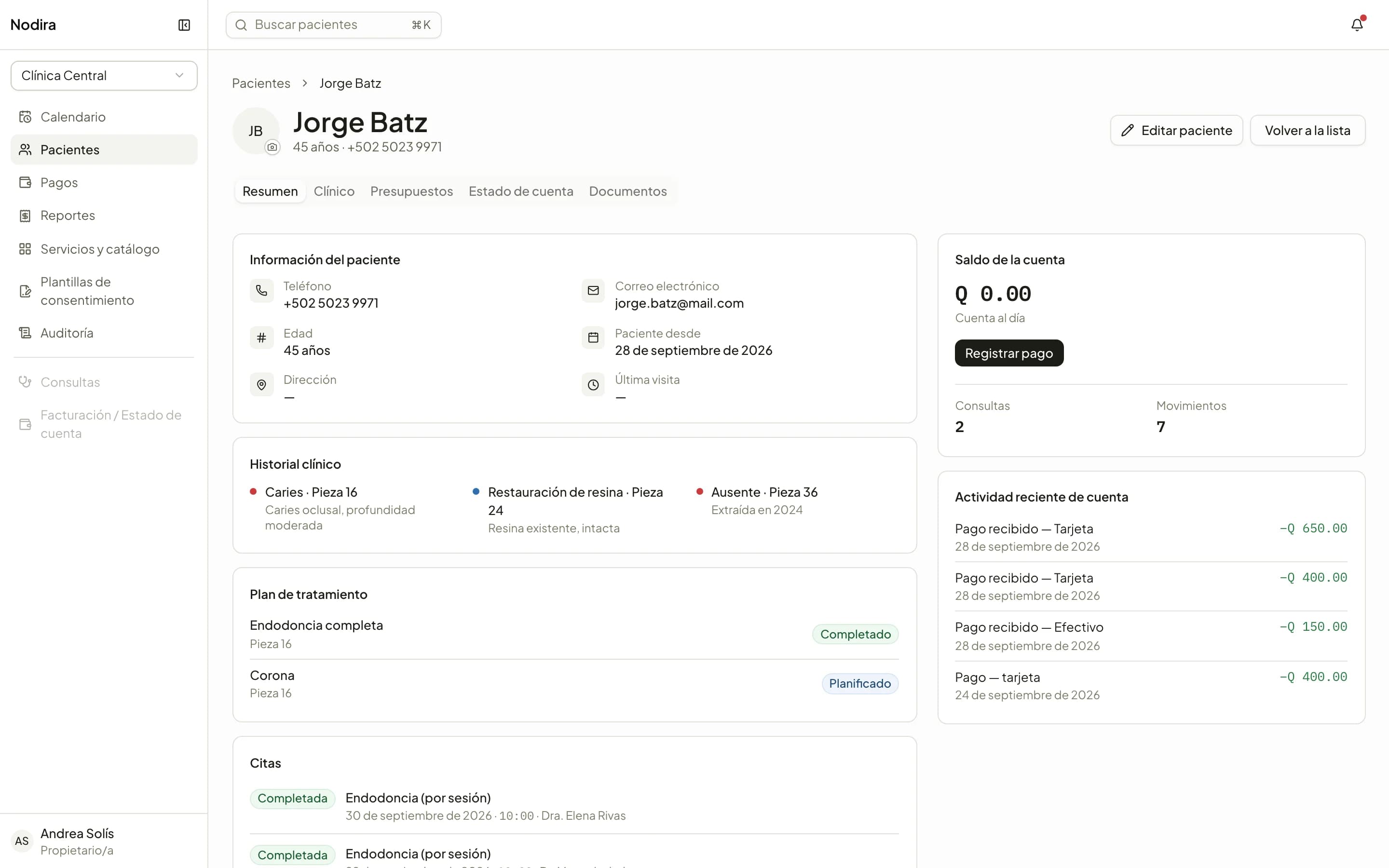
The patient, on one page
Contact details, clinical history, treatment plan, appointments and balance, in one summary. Your clinic's own fields fit here too.
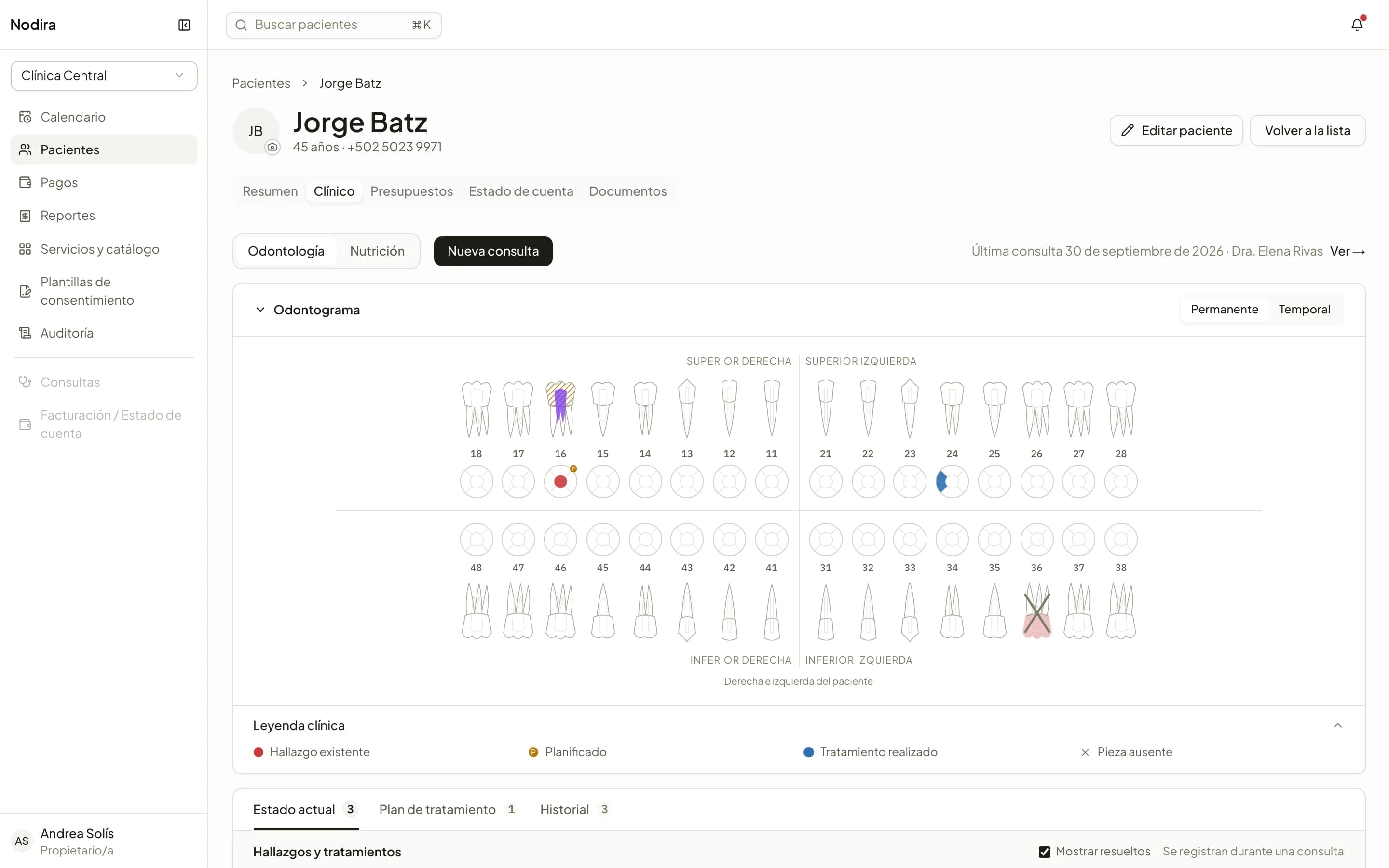
The record is written during the consultation.
Dentistry is the first specialty. Each specialty has its own clinical record; no one sees another's without access.
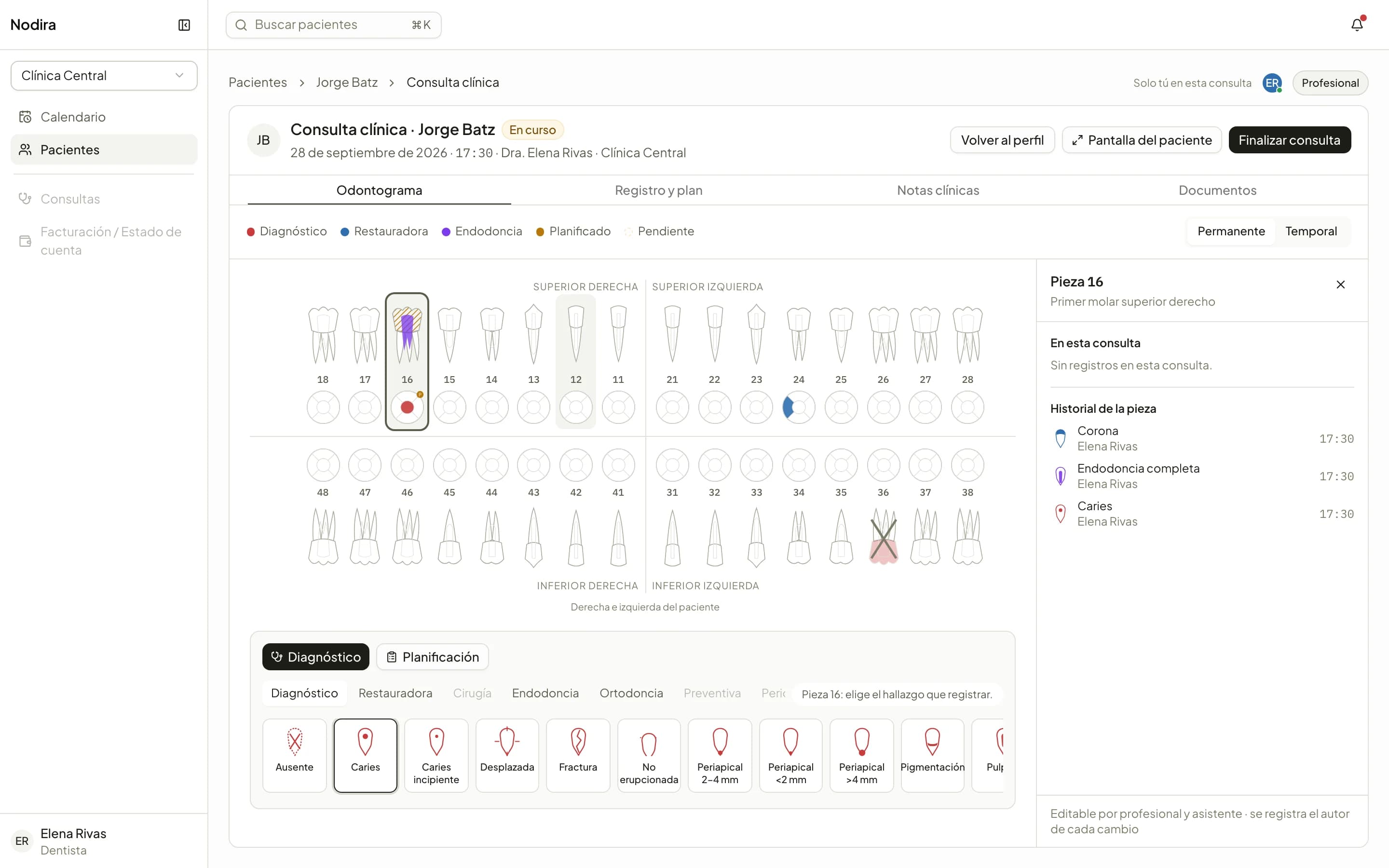
FDI odontogram
Existing findings, completed and planned treatments, by tooth and by surface. Permanent and primary teeth, with each tooth's history.
Four-handed consultations
The dentist dictates and the assistant records in the same consultation, in real time. Charges come from the treatments, with a warning when something has no price.
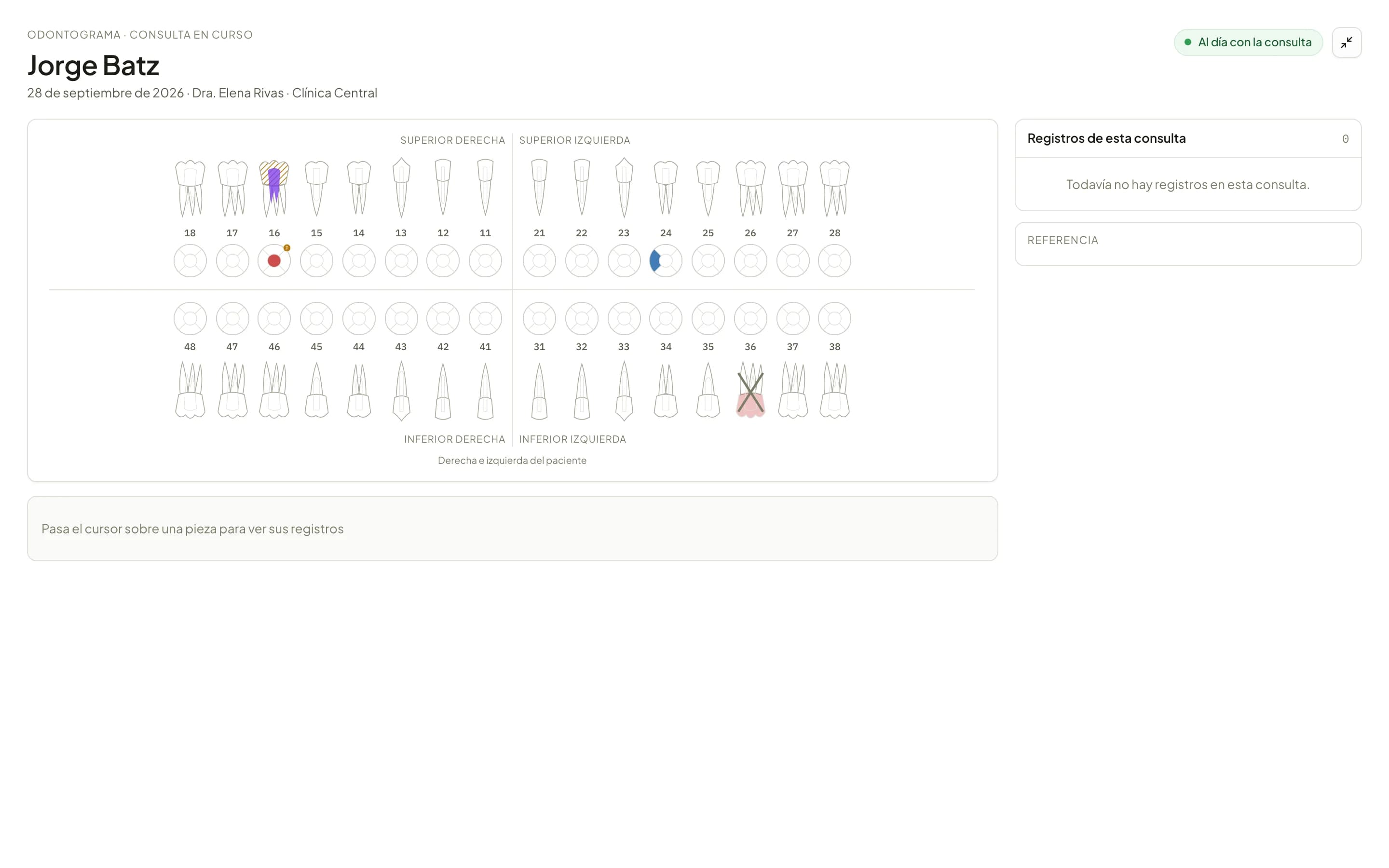
The patient's screen
A second monitor shows the patient their odontogram as it fills in, and the images the practitioner chooses to show.
Every quetzal, with its history.
Charges, payments and adjustments are entries that are never deleted. The balance always matches what happened.
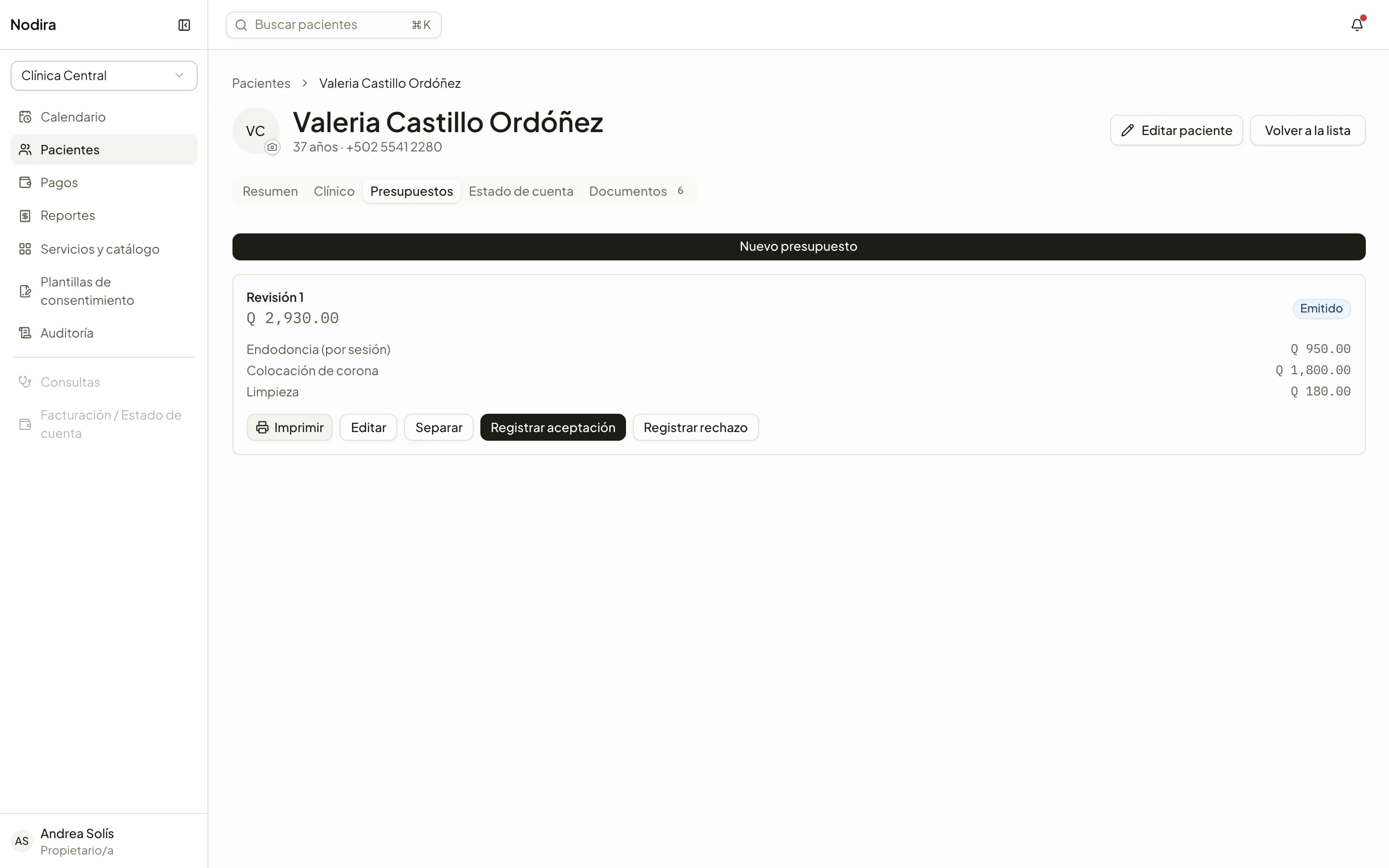
Quotes with revisions
From the catalog or from the treatment plan. Issue it, correct it with a new revision, split it and schedule the accepted work across several visits.
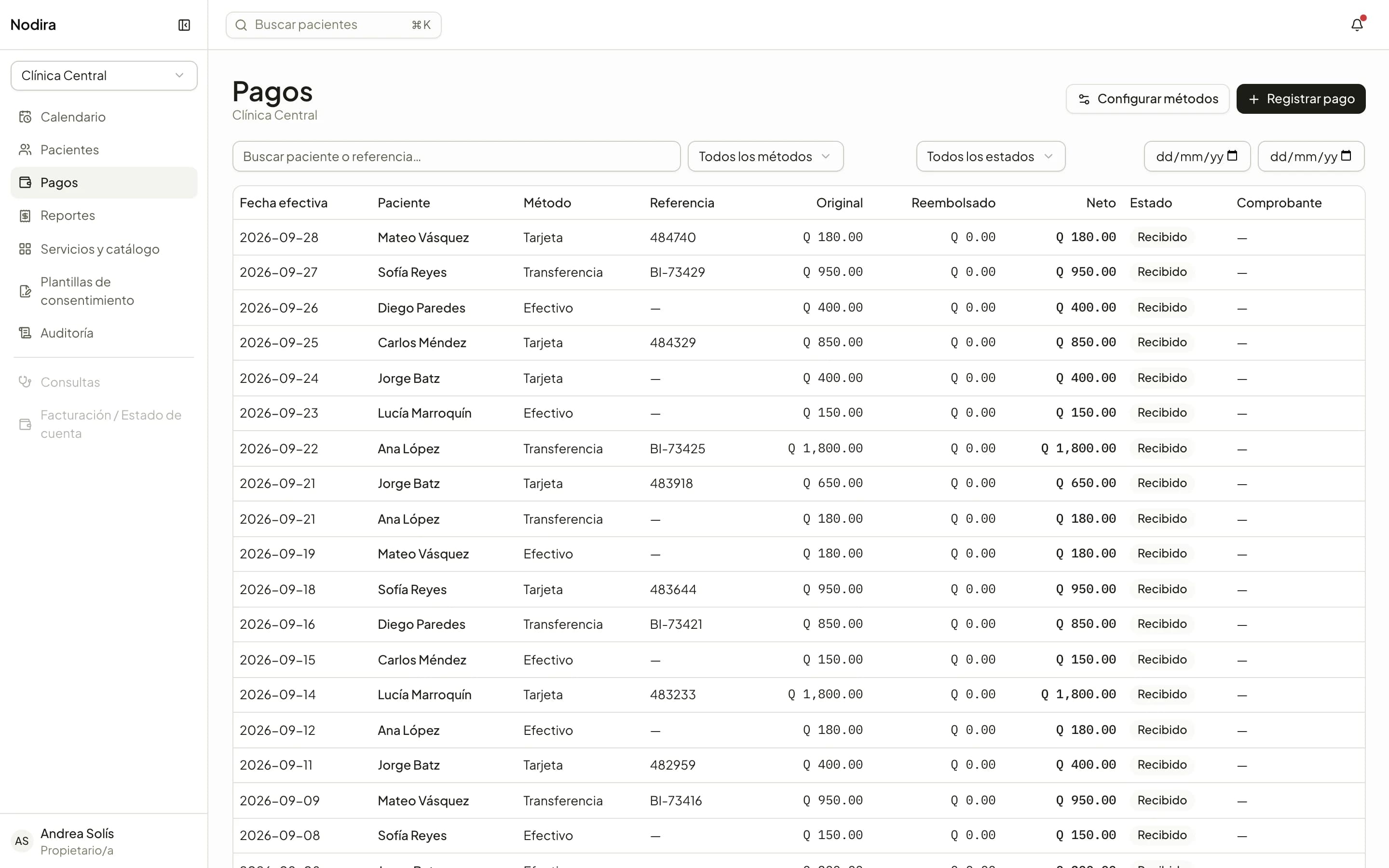
Payments and receipts
Record payments with the right method and details, attach the voucher and issue the receipt. Refunds and voids stay linked to the original payment.
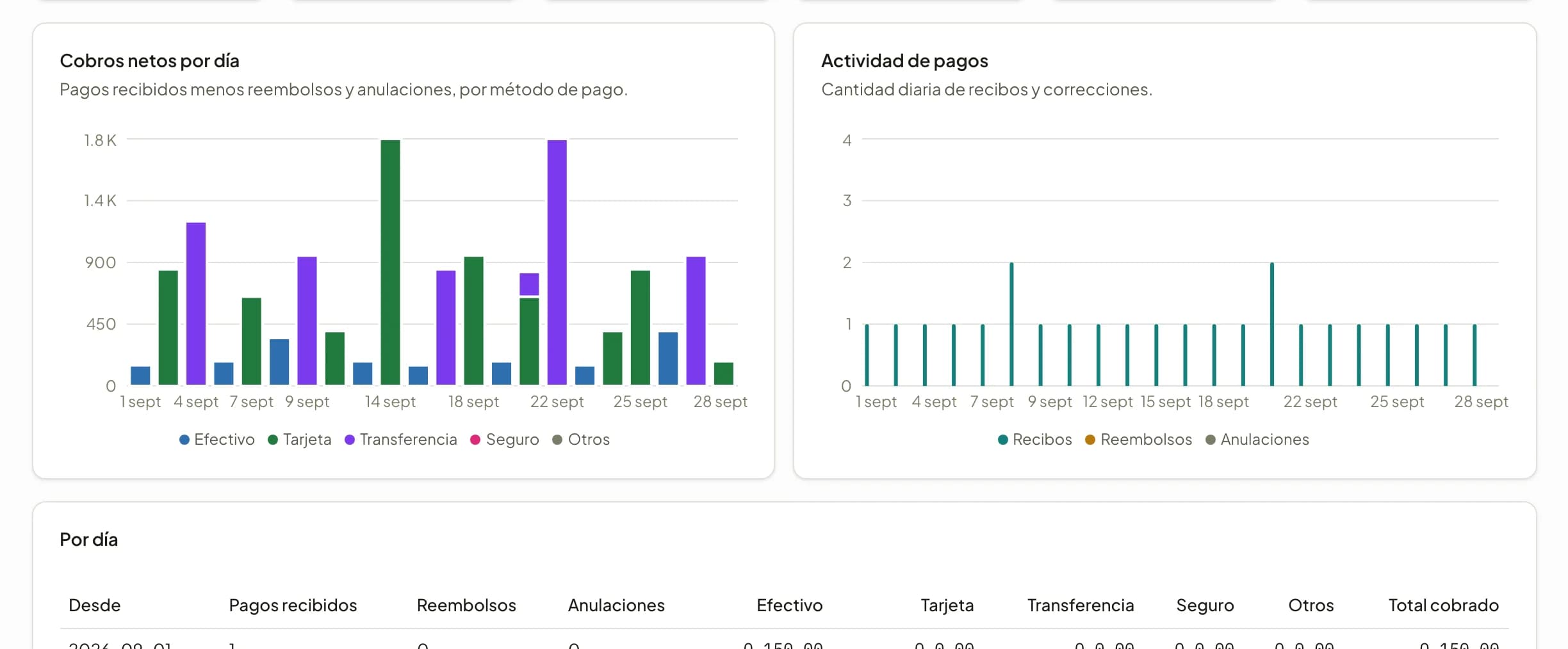
Income reports
Net collections by day, week or month, split by payment method and by location. For owners and administrators.
X-rays, photos and consents, where they are needed.
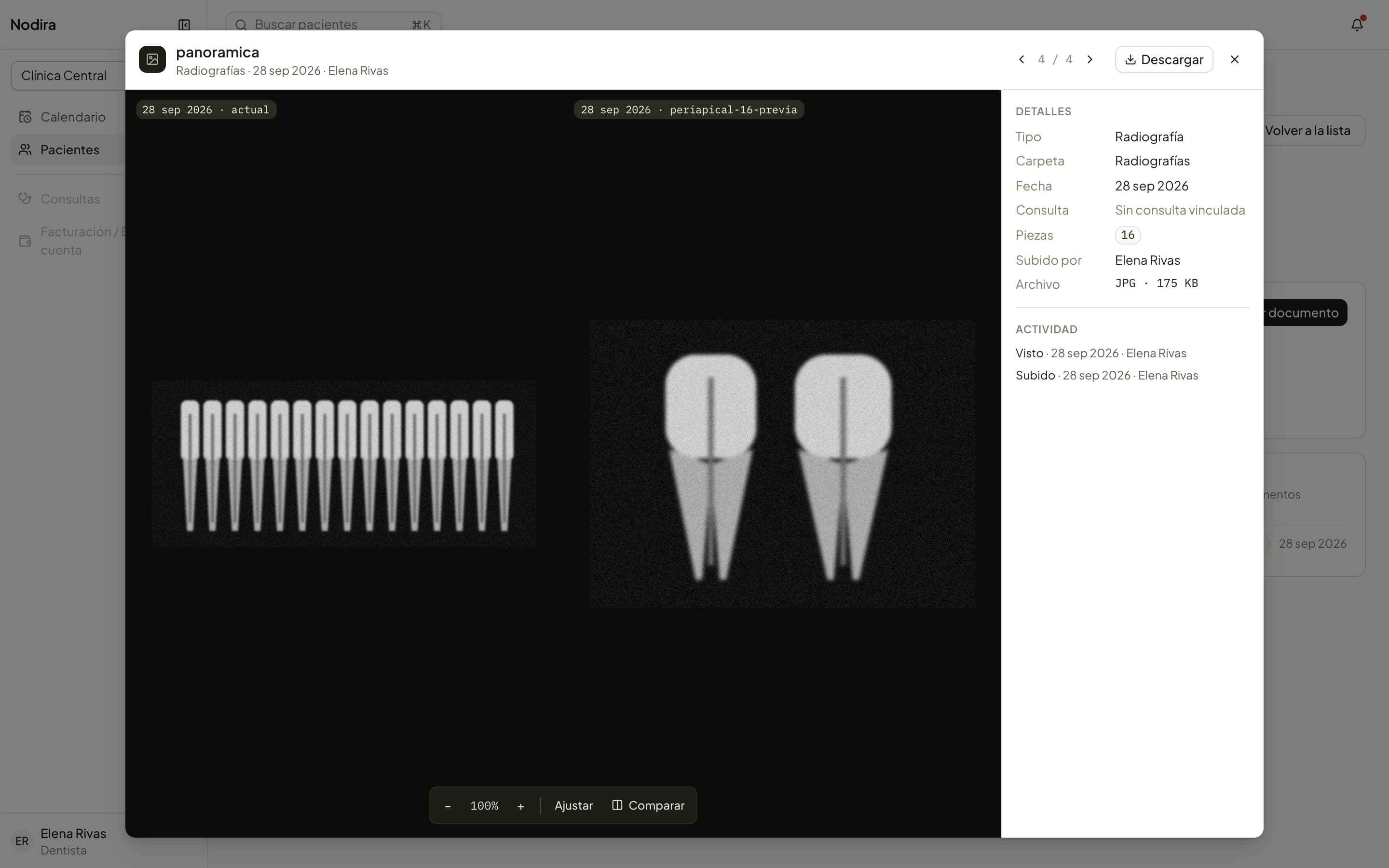
By folder, date or tooth
Upload images, PDFs and DICOM studies. Find them by tooth and compare the two latest X-rays side by side.
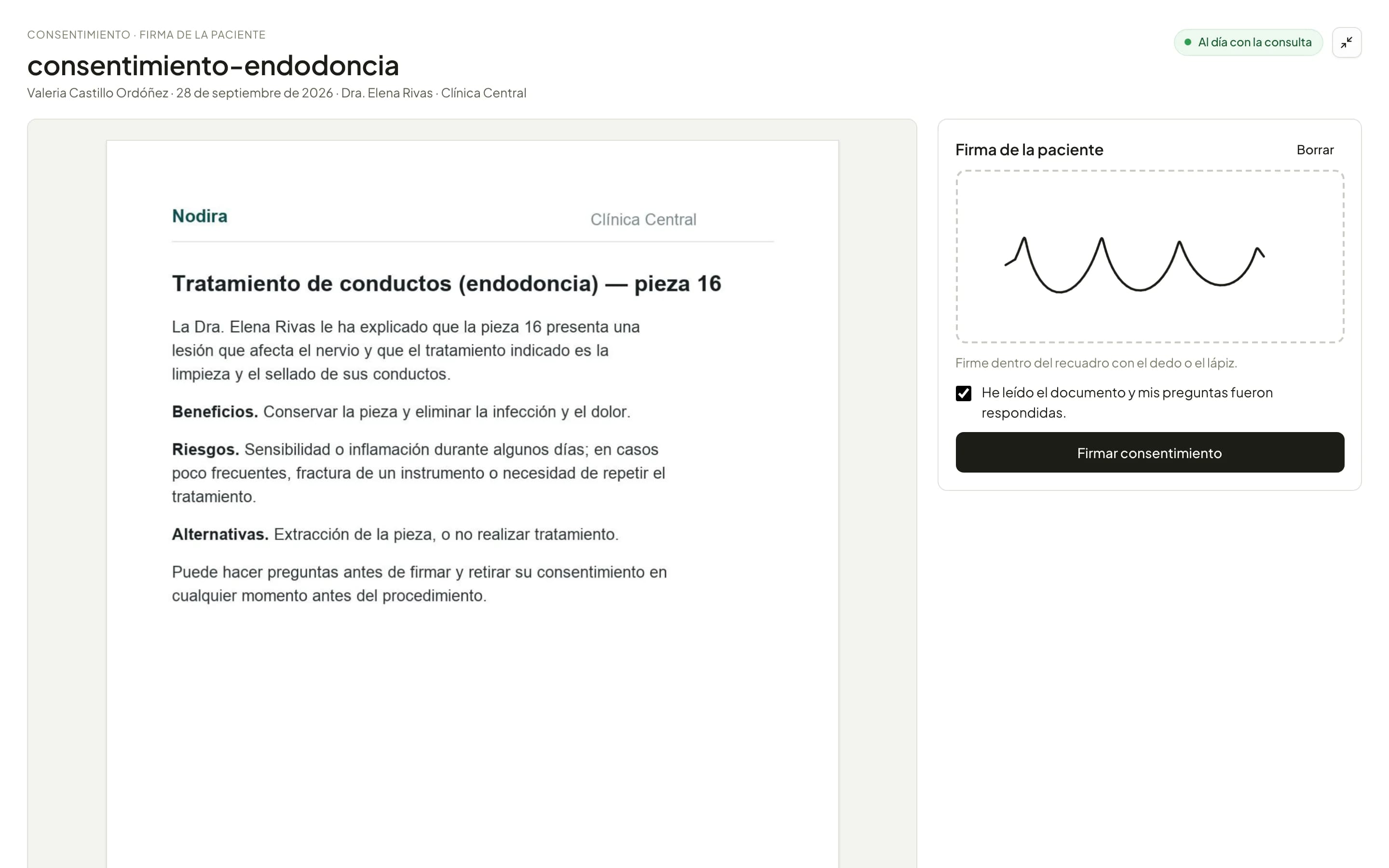
Signed consents
Consent templates linked to each service. The patient signs on the consultation screen and the signed document is archived in their record.
The clinic, behind the scenes.
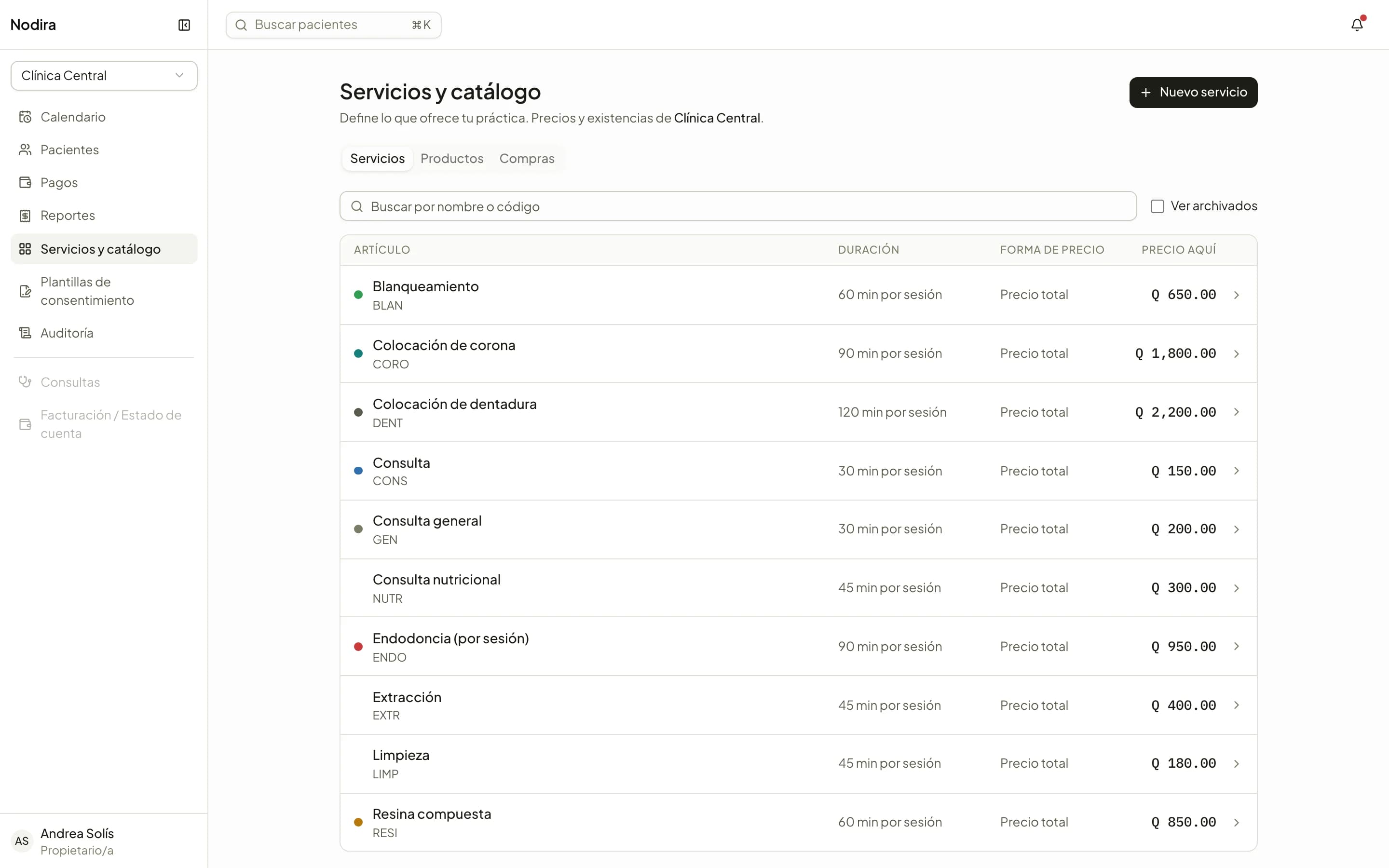
Catalog, stock and purchases
Services with duration and price, products with stock per location, purchases and receipts. The catalog feeds the calendar, quotes and charges.
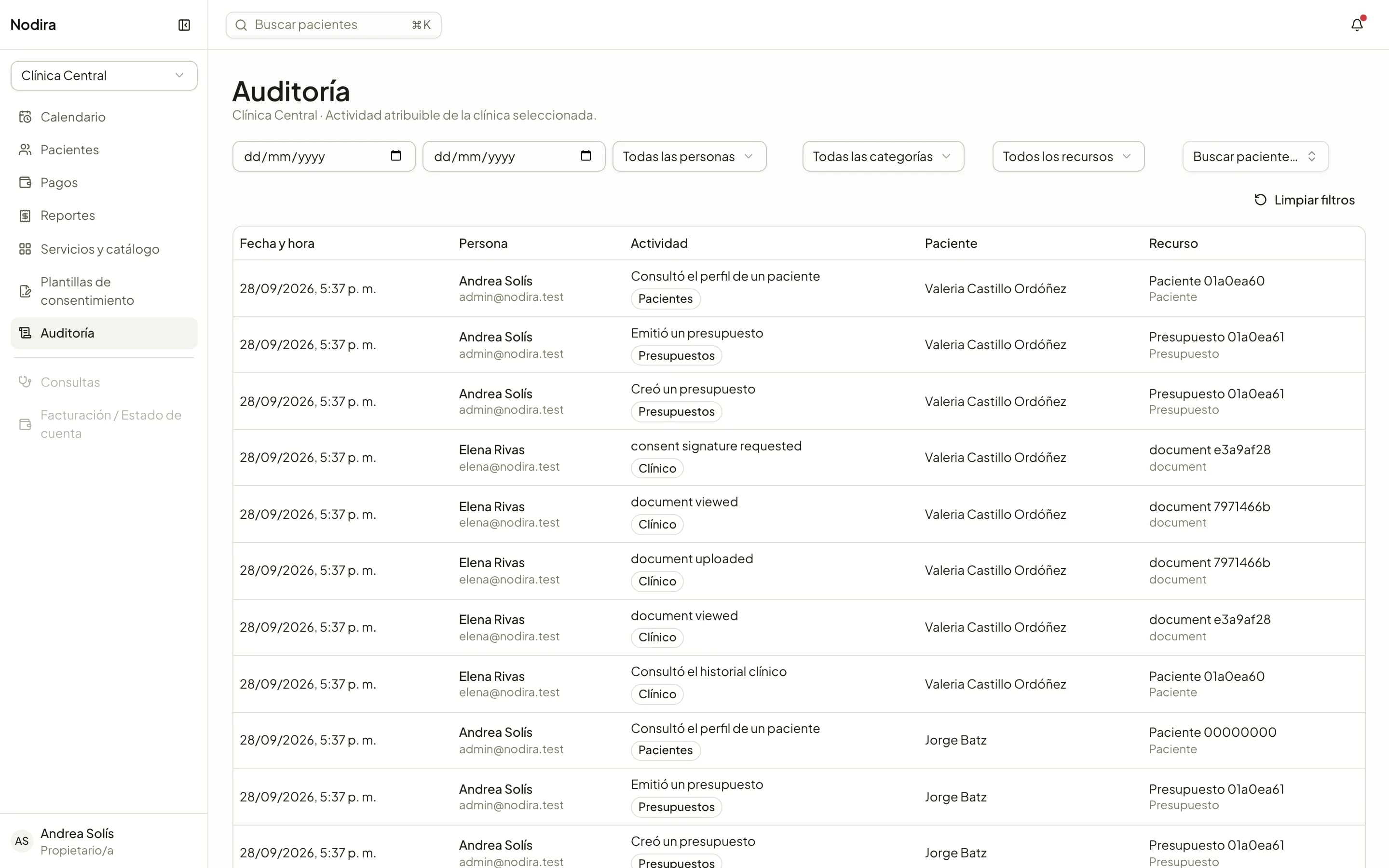
Audit trail
Who opened a record, who issued a quote, who recorded a payment. Every action is recorded with its author and the exact time.
And also
What a screenshot does not show, but you notice every day.
Roles and permissions
Owner, administrator, front desk, practitioner and assistant. One person can hold several roles; each sees only what is theirs to see.
Specialties as modules
Each specialty brings its own clinical record. A dentist and a nutritionist can share a patient without seeing each other's charts.
PDF documents
Quotes, receipts, account statements and consents, ready to print or send.
Quick search
Find any patient from any screen, with the keyboard.
Your own fields
Add the details your clinic needs to patient files and payment methods.
Notifications
The front desk knows when an appointment is cancelled, without having to ask.
See it with your clinic's services.
We will show you Nodira set up with your catalog, your locations and your practitioners.